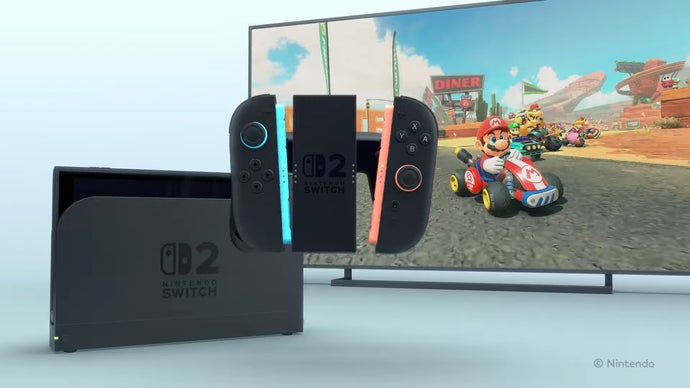
Nintendo has rolled out a new system update for the Nintendo Switch 2, and it addresses one of the most requested features since the console launched: Variable Refresh Rate support while docked. Until now, VRR was only available on the console’s built-in display in handheld and tabletop modes, leaving TV-bound players without the benefit. That changes with this latest firmware release.
What the New Nintendo Switch 2 Update Brings
The headline feature of the update is straightforward but significant: docked Nintendo Switch 2 consoles can now output a variable refresh rate signal to compatible televisions and monitors. When the console is seated in its dock and connected via HDMI, it can dynamically match the display’s refresh rate to the game’s frame rate in real time.
This brings the TV experience in line with what handheld players have enjoyed since launch, and it reflects Nintendo’s ongoing effort to refine the Switch 2 experience through steady firmware updates rather than one-off fixes.
What Is VRR, and Why Does It Matter?
Smoother Motion, No Screen Tearing
Variable Refresh Rate technology allows a display to synchronize its refresh rate with the frame rate being output by the console. Without VRR, a mismatch between the two can cause visual artifacts such as screen tearing — where two partially rendered frames appear on screen at once — or stuttering when frame rates dip and recover.
With VRR enabled, those hiccups are smoothed out. Even when a game’s performance fluctuates between, say, 50 and 60 frames per second, the picture remains fluid and consistent. The feature is particularly valuable for fast-paced action games, racing titles, and any experience where split-second visual clarity matters.
What You’ll Need to Use Docked VRR
There are a couple of requirements worth noting. First and foremost, you’ll need a television or monitor that supports VRR — typically through the HDMI 2.1 standard, though many displays implement it under branding like AMD FreeSync or as HDMI Forum VRR. Screens that lack VRR support won’t benefit from the update, so it’s worth checking your display’s specifications.
Players may also need to toggle the feature on within the console’s system settings, so if you’ve just installed the update and don’t notice a difference, a quick trip to the options menu is a smart first step.
Why This Update Is a Bigger Deal Than It Sounds
On paper, adding docked VRR might seem like a minor technical footnote. In practice, it’s a meaningful quality-of-life upgrade that brings the Switch 2 closer to feature parity with the PlayStation 5 and Xbox Series X, both of which have supported VRR for years.
It also signals something about Nintendo’s posture with the Switch 2: the company appears willing to respond to community feedback and iterate on the hardware’s capabilities over time. For a platform whose identity is built on flexibility — hybrid play, detachable controllers, docked and handheld modes — making the big-screen experience as polished as possible is a sensible priority.
As more demanding titles arrive on the platform and frame rate consistency becomes increasingly important, VRR gives developers a bit more breathing room and players a noticeably smoother ride.
Level Up Your Library
If this update has you itching to spend more time docked on the couch, it’s a great excuse to stock up on new games. You can pick up Nintendo eShop gift cards and game codes at TURGAME.com, often at competitive prices, making it easy to fund your next digital download.
Source: Eurogamer